⭐ Upgrade your streaming experience
The new Husham Stick. Faster. Cleaner. No nonsense.
Get the Husham Stick Now
IPTV Universe Premium IPTV
Paid Advertisement

Smart IPTV has been removed from most of the OLD Samsung Version

Hi Husham,

my tv is Samsung 70" TU7000 4K Crystal UHD HDR Smart TV (UN70TU7000), i tried downloading and extracting the files, tried the 2018,2019, 2020 at a time it just let me browse and it is also no where to be found in the apps
2019 version 1 should work... go to apps and click more apps .. should find it
 
20,0000 collegamenti IPTV .. Wow.
The Office No GIF


Mi dispiace amico .. Smart IPTV Non credo che gestisca così tanto. ..
prova a ridurre l'elenco. Non dirmi che vuoi guardare tutti questi link
i have a samsung ue55nu7400 do you have a smart iptv app
 
yes the files will work for it
 
Ciao Husham,
Ho provato di tutto per installare Smart IPTV sul mio Samsung UE40F6200AYXZT, ma ogni volta che vedo gli IPTV ma quando ci clicco sopra appare sempre. Potresti aiutarmi?
Grazie
Roberto
 

Attachments

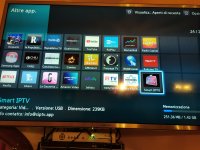
  • IMG_20201226_183328.jpg
    IMG_20201226_183328.jpg
    4.1 MB · Views: 4
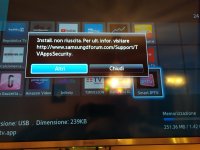
  • IMG_20201226_183339.jpg
    IMG_20201226_183339.jpg
    3.1 MB · Views: 4
Hi Husham, I hope you can help me,

I have Samsung smartTV, model code is: UE32F6400AKXXH, I watched your video on YT on how to instal Smart IPTV and did everything the same. When I put USB stick in my TV it doesn't show that download started or finished, but I read your previous replies to some people and in those you say that it may be instaled without showing that notification when I inserted USB. When I go to my apps on Smart HUB, I can find the aplication, but when I remove USB from TV, aplication can't be found anymore, is it suposed to work like that, or have I done something wrong and app haven't even installed?
I tried installing 2020 v.2 from your link, should I use some other version, and which version should work on my TV?

Thanks in advance, I'm looking forward to hearing from you.
 
it doesn't show that download started or finished,
that is right. not all tvs show that. just when you put the usb stick go to the apps and search the apps for smart iptv

ofcours as long as you installed the right version and extracted to the usb correctly
send image how you done it .
also check how the others here have done it ;)

I inserted USB. When I go to my apps on Smart HUB, I can find the aplication, but when I remove USB from TV, aplication can't be found anymore,
Some tvs are like that, your model simply dont have memory to store it from the usb, so you need to just keep the usb always there
 
Hi Husham,
I have tried everything to install Smart IPTV on my Samsung UE40F6200AYXZT, but everytime I see IPTV but when I click on it it always appears. Could you help me?
Thank you
Roberto
Please keep the USB in the tv all the time and looks like your TV might need to have the usb always in
 
that is right. not all tvs show that. just when you put the usb stick go to the apps and search the apps for smart iptv

ofcours as long as you installed the right version and extracted to the usb correctly
send image how you done it .
also check how the others here have done it ;)


Some tvs are like that, your model simply dont have memory to store it from the usb, so you need to just keep the usb always there
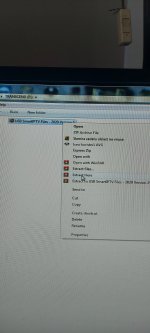
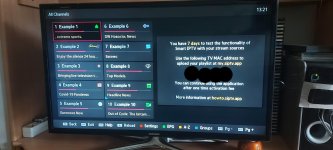
First picture is how have I extracted files on my USB, just like you've shown in the video. Second is picture of the aplication when I start it, is this ok? Have I done it corectly?
I'm sceptic about how have I done it because I found my IPTV provider (reseller), gave him my MAC adress, he shared me some channels list, and told me to refresh my smart iptv app, I did that and no new channels have apeared, I tried everything, even unpluging my TV and restarting it, but it didnt change. As you can see, I only have those 10 "example" channels and even them dont work (but I dont care about them, it is about my reseller, I can't find list that he shared me). I hope you can help me with this.
 

Attachments

  • 20210204_131839.jpg
    20210204_131839.jpg
    1.7 MB · Views: 6
  • 20210204_133103.jpg
    20210204_133103.jpg
    2.4 MB · Views: 6
First picture is how have I extracted files on my USB, just like you've shown in the video. Second is picture of the aplication when I start it, is this ok? Have I done it corectly?
I'm sceptic about how have I done it because I found my IPTV provider (reseller), gave him my MAC adress, he shared me some channels list, and told me to refresh my smart iptv app, I did that and no new channels have apeared, I tried everything, even unpluging my TV and restarting it, but it didnt change. As you can see, I only have those 10 "example" channels and even them dont work (but I dont care about them, it is about my reseller, I can't find list that he shared me). I hope you can help me with this.
Yes sounds to me you are all good.
But make surd you turn off router for 30 seconds

And turn off the TV from the power socket for 1 minute too.

Then
The best approach now.
Get your M3U link your self from your IPTV company
And add the channels your self to the smart IPTV app.

If you like send me private message with Mac address and your m3u and I will do the uploading for you.
 
Back
Top