

SVENORDIUM
Unique IPTV Experience
🛡️ Anti ISP Block
🎧 Friendly Support 🔴 Live Content 🎬 VOD
⚡ Instant Activation
⚡ Instant Activation
🤝 Reselling Available
▶️ Watch Now
You are using an out of date browser. It may not display this or other websites correctly.
You should upgrade or use an alternative browser.
You should upgrade or use an alternative browser.
New smart IPTV download for Samsung TVs
- Thread starter husham
- Start date
Offline
Hola,y donde está el archivo,y ¿donde está el tutorial de como se instala?,en mi televisor no aparecen iptv gratis, aparece entre ellas net iptv que es de pago...busco un tutorial de como instalar smart iptv desde un usb...

Offline
files of Smart IPTV located in here WARNING Samsung Removes SMART IPTV DO NOT REST YOUR TV!!!! - Husham.com SmartTV
Offline
Hi Husham,
I have a Samsung smart tv UE55F8000 that was purchased in 2014. I was using the Smart IPTV app up until yesterday when the tv must have software updated and now doesn't work. I understand they have removed this app as you have said. I followed your instructions and formatted the usb and unzipped the contents and copied it over as the instructions say. When I insert the USB into the tv, it doesn't seem to download into the apps section. I can find the contents when I press the source button on the remote and go into the usb but I can only see the icon for the Smart iptv app.
Is there a reason why it is not downloading onto the tv app section. My friend said I might need an app to convert or download the usb information onto the tv.
Can you please help or have you any suggestions, I would be very greatful
thanks
Damien
I have a Samsung smart tv UE55F8000 that was purchased in 2014. I was using the Smart IPTV app up until yesterday when the tv must have software updated and now doesn't work. I understand they have removed this app as you have said. I followed your instructions and formatted the usb and unzipped the contents and copied it over as the instructions say. When I insert the USB into the tv, it doesn't seem to download into the apps section. I can find the contents when I press the source button on the remote and go into the usb but I can only see the icon for the Smart iptv app.
Is there a reason why it is not downloading onto the tv app section. My friend said I might need an app to convert or download the usb information onto the tv.
Can you please help or have you any suggestions, I would be very greatful
thanks
Damien
Offline
files of Smart IPTV located in here WARNING Samsung Removes SMART IPTV DO NOT REST YOUR TV!!!! - Husham.com SmartTV
Offline
Ok. Once again so sorry that Samsung keep doing this to you guys.
It's really unfair
The Samsung smart IPTV usb I know still works. For most TVs. But there is few that doesn't work but that's a small number. So I will assume that your tv is a good TV for it.
Your tv model should allow install with usb
And the software should work
So let's beggin with basics first
Did you format the usb using quick formar
Did you extract the files to the usb and put them on the root
The file you download need extracting to the root
The version first on the usb file root is the latest software. But just incase
I put the old versions also there.
Just replace the main folder on the root with the old ones to see if that works
It's really unfair
The Samsung smart IPTV usb I know still works. For most TVs. But there is few that doesn't work but that's a small number. So I will assume that your tv is a good TV for it.
Your tv model should allow install with usb
And the software should work
So let's beggin with basics first
Did you format the usb using quick formar
Did you extract the files to the usb and put them on the root
The file you download need extracting to the root
The version first on the usb file root is the latest software. But just incase
I put the old versions also there.
Just replace the main folder on the root with the old ones to see if that works
Offline
I am just creating some easier versions for the old files now.. please bear with me .. I hope some other versions will work..I tried everything to instal SIPTV and SSIPTV as you describe but its just doesn't want to install. I don't know is it because i use MacBook for that or I'm doing something wrong but its just doesn't work form me. Please help
Offline
I divided the versions of the files
https://www.husham.com/samsung-smart-iptv-manual-install-files-updated-files-march-2020/
https://www.husham.com/samsung-smart-iptv-manual-install-files-updated-files-march-2020/
Offline
Your using Mac. OH WOW. I think your right. Allot of people using Mac have complained. I hope you can get it to work. Please report back when you sort it form windowsStill doesent want. I assume its because of my Mac. I'll try with Windows and see is that the problem.
Last edited:
Offline
Ok. Once again so sorry that Samsung keep doing this to you guys.
It's really unfair
The Samsung smart IPTV usb I know still works. For most TVs. But there is few that doesn't work but that's a small number. So I will assume that your tv is a good TV for it.
Your tv model should allow install with usb
And the software should work
So let's beggin with basics first
Did you format the usb using quick formar
Did you extract the files to the usb and put them on the root
The file you download need extracting to the root
The version first on the usb file root is the latest software. But just incase
I put the old versions also there.
Just replace the main folder on the root with the old ones to see if that works
Hi There
thank you for replying to me i appreciate it
I have a couple of questions.
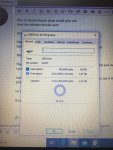
1 what do you mean by " did you format the usb using the quick fomar ( ive attached pic of properties of usb showing exfat)
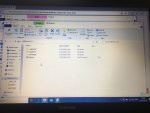
2 when it comes to extracting the files i've highlighted the file right clicked the mouse and clicked on extract files) ive then copied them onto the black formatted usb.
I've done this with all the versions on your site and tried them all but the same thing is happening. its showing me the contents of the usb when I go to source on the remote, but not downloading the app onto the TV apps section.
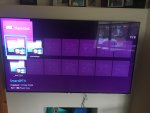
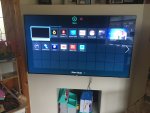
maybe I am doing something wrong. i've attached a few pics to give you an idea of what I mean.
if you could do a video showing exactly step by step what to do ,ie formatting the USB and what you mean by making sure you put the files on the root of the usb it would be great.
thank you for taking the time to help me. I have no tv channels at the moment because of this issue and I would really love to fix the problem. Its probably something simple i'm doing wrong
Thanks Again
Damien
Attachments
Hey I tried with windows same thing. Is there some setting that should be done on the TV? I also tried SSIPTV same thingYour using Mac. OH WOW. I think your right. Allot of people using Mac have complained. I hope you can get it to work. Please report back when you sort it form windows
Any other advice? I also purchase Royal IPTV but that thing is TERRIBLE
Offline
I have just finished helping another user with similar issue about the download as he was using MAC - check the conversation here Smart IPTV has been removed from most of the OLD Samsung Version
we Formated the usb using Fat 32 -
we downloaded using PC the smart iptv version 2019 version 2
and we extracted on the pc -
and transferred to the USB only the extracted files
and then put it to the TV
and then went to to the Apps in Samsung
and then clicked MORE apps .. and it was there
we Formated the usb using Fat 32 -
we downloaded using PC the smart iptv version 2019 version 2
and we extracted on the pc -
and transferred to the USB only the extracted files
and then put it to the TV
and then went to to the Apps in Samsung
and then clicked MORE apps .. and it was there
FINALY i made it. Same thing 2019 version 2 and its start downloading instantly THANKSI have just finished helping another user with similar issue about the download as he was using MAC - check the conversation here Smart IPTV has been removed from most of the OLD Samsung Version
we Formated the usb using Fat 32 -
we downloaded using PC the smart iptv version 2019 version 2
and we extracted on the pc -
and transferred to the USB only the extracted files
and then put it to the TV
and then went to to the Apps in Samsung
and then clicked MORE apps .. and it was there
Offline
Hi HushamHi There
thank you for replying to me i appreciate it
I have a couple of questions.
1 what do you mean by " did you format the usb using the quick fomar ( ive attached pic of properties of usb showing exfat)
2 when it comes to extracting the files i've highlighted the file right clicked the mouse and clicked on extract files) ive then copied them onto the black formatted usb.
I've done this with all the versions on your site and tried them all but the same thing is happening. its showing me the contents of the usb when I go to source on the remote, but not downloading the app onto the TV apps section.
maybe I am doing something wrong. i've attached a few pics to give you an idea of what I mean.
if you could do a video showing exactly step by step what to do ,ie formatting the USB and what you mean by making sure you put the files on the root of the usb it would be great.
thank you for taking the time to help me. I have no tv channels at the moment because of this issue and I would really love to fix the problem. Its probably something simple i'm doing wrong
Thanks Again
Damien
did you get a chance to look at my issue
thanks
Damien
Offline
Actually I thought I replied to you.Hi Husham
did you get a chance to look at my issue
thanks
Damien
To be honest your situations is the same as the other two above
And your pictures doesn't show that you clicked on more apps.
Try clicking more apps
And use version 2019 version 2.
See if that works
Also usb you used exfat
Can you use fat 32 please
Last edited:
Offline
Actually I thought I replied to you.
To be honest your situations is the same as the other two above
And your pictures doesn't show that you clicked on more apps.
Try clicking more apps
And use version 2019 version 2.
See if that works
Also usb you used exfat
Can you use fat 32 please
Hi Husham
that's great it worked its now in my more apps section thanks so much
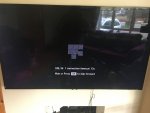
unfortunately I have another issue when I try and open the app I get the message on the attached pic and then the app shuts down. do you have any idea what would be causing it
thanks
Damien
Attachments
Offline
This issue in the picture is caused by low internet speed ..Hi Husham
that's great it worked its now in my more apps section thanks so much
unfortunately I have another issue when I try and open the app I get the message on the attached pic and then the app shuts down. do you have any idea what would be causing it
thanks
Damien
this doesn't mean your internet speed is low .. but could very well be your wifi speed is low or the source you are trying to get data from is low
to fix this you have to do the following steps to make sure
1 - Turn off your TV/device that has smart IPTV for exactly 30 seconds form the wall socket and try again
2- if 1 didn't work then you need to check if you are using WIFI or cable ..
- Ethernet Cable users - Make sure you are using CAT 6 cable .. anything less or more.. NOT GOOD at the moment
- WIFI users - you need to make sure you change the wifi signal to make sure you are using a fast streaming channel - i found the video from youtube to explain about wifi change channel ..
Offline
This issue in the picture is caused by low internet speed ..
this doesn't mean your internet speed is low .. but could very well be your wifi speed is low or the source you are trying to get data from is low
to fix this you have to do the following steps to make sure
1 - Turn off your TV/device that has smart IPTV for exactly 30 seconds form the wall socket and try again
2- if 1 didn't work then you need to check if you are using WIFI or cable ..
- Ethernet Cable users - Make sure you are using CAT 6 cable .. anything less or more.. NOT GOOD at the moment
- WIFI users - you need to make sure you change the wifi signal to make sure you are using a fast streaming channel - i found the video from youtube to explain about wifi change channel ..
Hi Husham
cheers for that . I am unable to run a cable from modem to tv and was running iptv wireless. I ran a speed text and saw that the speed was down significantly. I called provider and he advised its because of everyone being at home with this virus issue. He changed the channel on my incoming supply and now the speed is up to 70mb which is good and what it was before. I've done all the resetting the smart hub. disconnecting tv from mains.
the app now opens but closes again without giving me timeout message.
just s a couple of questions. I presume the USB needs to be left in the tv as when i take it out the app disappears from my more app section and do you think if i tried different versions of your downloads it may work
thanks
Damien
Offline
Your tv model needs the app always in the usb. As there is no space for the app to be stored in the TV. So you will need to run it always from the usb.Hi Husham
cheers for that . I am unable to run a cable from modem to tv and was running iptv wireless. I ran a speed text and saw that the speed was down significantly. I called provider and he advised its because of everyone being at home with this virus issue. He changed the channel on my incoming supply and now the speed is up to 70mb which is good and what it was before. I've done all the resetting the smart hub. disconnecting tv from mains.
the app now opens but closes again without giving me timeout message.
just s a couple of questions. I presume the USB needs to be left in the tv as when i take it out the app disappears from my more app section and do you think if i tried different versions of your downloads it may work
thanks
Damien
Constant crash is odd. You need to check the IPTV that you added. Is there an issue with them. Maybe send diffenrt m3u or links to your tv
Hi Husham, I have followed the steps to download files for smart IPTV, it installed straight away on my TV.
All the live channels work on the application however when I try to load movies from the folders, the movies do not load or work. The screen shows just loading.
All other channels work just not the movie folders.
Any idea what seems to be the problem ?
kind regards
All the live channels work on the application however when I try to load movies from the folders, the movies do not load or work. The screen shows just loading.
All other channels work just not the movie folders.
Any idea what seems to be the problem ?
kind regards
Offline
When selecting a movie. Do a long press and see if it allows external player.Hi Husham, I have followed the steps to download files for smart IPTV, it installed straight away on my TV.
All the live channels work on the application however when I try to load movies from the folders, the movies do not load or work. The screen shows just loading.
All other channels work just not the movie folders.
Any idea what seems to be the problem ?
kind regards
Maybe that will work.
Offline
hi Husham, got that about the usb in the tv all the time no problem, what you mean by send different m3u or links to your tv. Does that mean try the other downloads on your site, forgive me I'm not the most tech savyYour tv model needs the app always in the usb. As there is no space for the app to be stored in the TV. So you will need to run it always from the usb.
Constant crash is odd. You need to check the IPTV that you added. Is there an issue with them. Maybe send diffenrt m3u or links to your tv
thanks Damien
Offline
I was referring to the IPTV channels you added.hi Husham, got that about the usb in the tv all the time no problem, what you mean by send different m3u or links to your tv. Does that mean try the other downloads on your site, forgive me I'm not the most tech savy
thanks Damien
When selecting a movie. Do a long press and see if it allows external player.
Maybe that will work.
Hi Husham, thankyou for your reply.
I did try what you mentioned and unfortunately still no luck loading movies.
Any other suggestions?
kind regards
Offline
Sadly this means your tv has got a restriction on the video playback or any other playerHi Husham, thankyou for your reply.
I did try what you mentioned and unfortunately still no luck loading movies.
Any other suggestions?
kind regards
If you cant install any other IPTV player in your tv then you will not be able to use better playback.
Sorry
Hey buddy i have another problemFINALY i made it. Same thing 2019 version 2 and its start downloading instantly THANKS
I have 2 Samsung tv
One is 2017 the other 2018
On both of them i bought SIPTV when it was available. few mounts ago i made factory reset on 2018 one and all the App were deleted (SIPTV also) Since then i was trying to reinstall SIPTV few times until 2 yesterday when you help me do that. But the problem now is that now the App doesent want to connect to the programs. 2017 model with original App downloaded from the store all the programs are playing great, but on the 2018 the one that i reinstall i made it to play only one program for few minutes until the moment when i tried to change the channel and again same story noting can be played. I even try to change wifi channel to see if anything gonna change same thing (anyway the speed is solid 60mbps both ways) Also i have same problem with Royal IPTV app on the same tv (2018) its doesent want to play anything. Is there any advice what to do???
Offline
Ok. Let's start updating the version with 2020 versions of smart IPTV and see if that woroHey buddy i have another problem
I have 2 Samsung tv
One is 2017 the other 2018
On both of them i bought SIPTV when it was available. few mounts ago i made factory reset on 2018 one and all the App were deleted (SIPTV also) Since then i was trying to reinstall SIPTV few times until 2 yesterday when you help me do that. But the problem now is that now the App doesent want to connect to the programs. 2017 model with original App downloaded from the store all the programs are playing great, but on the 2018 the one that i reinstall i made it to play only one program for few minutes until the moment when i tried to change the channel and again same story noting can be played. I even try to change wifi channel to see if anything gonna change same thing (anyway the speed is solid 60mbps both ways) Also i have same problem with Royal IPTV app on the same tv (2018) its doesent want to play anything. Is there any advice what to do???
I think i made itOk. Let's start updating the version with 2020 versions of smart IPTV and see if that woro
I have 2 USB one is HP 32gb one is some cheap Chinese 8gb. With HP i couldn't install anything but the cheap one i made all the installations (strange thing :/ ) also i stayed on 2019 version 2
Second problem that i had it was the internet. Also i have 2 wifi routers Airport Extreme and some cheap Huawei. All the time i was connected to Airport because i twice as fast than Huawei and again when i switch at the end on the cheap one it start working. So no matter how much you gonna pay China always wins

So my advice
Always try all version to see what will work for you
Try couple of usb to install
Try wifi and wired internet option (also try phone hotspot- thats how i saw that the problem is in internet connection)
Hi Husham,Sadly this means your tv has got a restriction on the video playback or any other player
If you cant install any other IPTV player in your tv then you will not be able to use better playback.
Sorry
Is there a away to get around this restriction?
Everything was working fine with the app until I had to restart my TV.
Kind regards
Offline
Unfortunately this is limited on the TV operating system.Hi Husham,
Is there a away to get around this restriction?
Everything was working fine with the app until I had to restart my TV.
Kind regards
Offline
Hi Husham
I cant find all the different versions of the downloads for the smart iptv for Samsung tv can you please advise
thanks
Damien
I cant find all the different versions of the downloads for the smart iptv for Samsung tv can you please advise
thanks
Damien
Offline
found them thanksHi Husham
I cant find all the different versions of the downloads for the smart iptv for Samsung tv can you please advise
thanks
Damien
Offline
Hi Husham
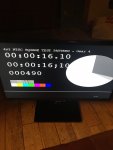
I loaded the details of you smart iptv onto the usb. put it into a 32inch Samsung smart tv i have. connected the tv directly to the internet using ethernet cable, the app opened no problem which was great. so the next step was to get my provider to load the channels. but i went into an example channel to see if it was streaming ok and the attached came up. do you know what it means.
thanks
Damien
I loaded the details of you smart iptv onto the usb. put it into a 32inch Samsung smart tv i have. connected the tv directly to the internet using ethernet cable, the app opened no problem which was great. so the next step was to get my provider to load the channels. but i went into an example channel to see if it was streaming ok and the attached came up. do you know what it means.
thanks
Damien
Attachments
Offline
Yes that great. That's a test that everything is working. Now you need to ignore the test and replace it with a providerHi Husham
I loaded the details of you smart iptv onto the usb. put it into a 32inch Samsung smart tv i have. connected the tv directly to the internet using ethernet cable, the app opened no problem which was great. so the next step was to get my provider to load the channels. but i went into an example channel to see if it was streaming ok and the attached came up. do you know what it means.
thanks
Damien
Offline
brilliant stuff, thanks for all your help i really appreciate it, its great to have someone to get advise from on all these things, DamienYes that great. That's a test that everything is working. Now you need to ignore the test and replace it with a provider
Offline
You welcomebrilliant stuff, thanks for all your help i really appreciate it, its great to have someone to get advise from on all these things, Damien


Hi Husham.
Hope you're well. I've managed to install the 2020 version and what I believe to one of the 2019 editions but keep running into the same problem whereby when the app loads, it throws you out. Is this a known problem?
Also, I can't find all the different versions of the downloads for the Smart IPTV app. Where can I find these?
Thanks!
Hope you're well. I've managed to install the 2020 version and what I believe to one of the 2019 editions but keep running into the same problem whereby when the app loads, it throws you out. Is this a known problem?
Also, I can't find all the different versions of the downloads for the Smart IPTV app. Where can I find these?
Thanks!
Same issue, which version did you install to fix this issue?Hi Husham
that's great it worked its now in my more apps section thanks so much
unfortunately I have another issue when I try and open the app I get the message on the attached pic and then the app shuts down. do you have any idea what would be causing it
thanks
Damien
Offline
What do you mean through you out.Hi Husham.
Hope you're well. I've managed to install the 2020 version and what I believe to one of the 2019 editions but keep running into the same problem whereby when the app loads, it throws you out. Is this a known problem?
Also, I can't find all the different versions of the downloads for the Smart IPTV app. Where can I find these?
Thanks!
Does the app crash
Or if he IPTV STOPPS
Also is the usb stick always has be Inn. The tv
It successfully installs, I've tried all 5 versions (2 x 2020, 2 x 2019 and 1 x 2018) gets to the loading screen, where the little bricks spin around, freezes and the app closes down and returns to the screen you was on previously before you opened the app. Yes, USB is always in.What do you mean through you out.
Does the app crash
Or if he IPTV STOPPS
Also is the usb stick always has be Inn. The tv
Offline
I think that sounds normal because you tried the test streams. You need paid IPTV channelsIt successfully installs, I've tried all 5 versions (2 x 2020, 2 x 2019 and 1 x 2018) gets to the loading screen, where the little bricks spin around, freezes and the app closes down and returns to the screen you was on previously before you opened the app. Yes, USB is always in.
Or IPTV providers link. Just upload the channels to your app now now should work
Offline
Wait if you are free let's do a video conference call with zoomHi Husham,
I've had the smart IPTV app for almost 2 years, some update either to the app or Samsung TV has made this happened. I have an existing paid IPTV channel membership?
More than happy to attach a video file?
Offline
Basically if you have your m3u.Hi Husham,
I've had the smart IPTV app for almost 2 years, some update either to the app or Samsung TV has made this happened. I have an existing paid IPTV channel membership?
More than happy to attach a video file?
Then you uploaded it
If you uploaded those channels.
Which channel are you watching that causing this issue?
Hi Husham,
I've had the smart IPTV app for almost 2 years, some update either to the app or Samsung TV has made this happened. I have an existing paid IPTV channel membership?
More than happy to attach a video file?
Let's do it. Send me meeting invite, I have zoomed installed.Wait if you are free let's do a video conference call with zoom
Also, link to video attached: D1C2DAF4-C116-4AD6-B356-3A9F8B1C4A34.mov