IPTV Universe Premium IPTV
Paid Advertisement

Smart IPTV has been removed from most of the OLD Samsung Version

husham

Doctor, PHD
Staff member
Offline


Samsung has recently removed the SMART IPTV and several apps from the Samsung Stores. There was actually no official announcement as to why this is done however further investigation I found out that Samsung is planning to install more Apple TV Casting and Apple TV services and although it is unclear as this is the reason why they removed SMART IPTV from their store, Samsung TV now simple no more SMART then just a TV with Youtube, Netflix and Amazon Prime.

Some Samsung TVs now have it and some don't

Full information how you can get it back are here including download links
https://www.husham.com/warning-samsung-removes-smart-iptv-do-not-rest-your-tv-2/
Video to explain the process in youtube.
 
Last edited:
hi, will this procedure work for philips smart tv?
No not this process, if you're Philips Android TV then you install it directly via downloader. Otherwise Philips standard TVs can't install smart Iptv on them
 
Updating the files. for Smart IPTV
 
I have a problem. I put the usb in de tv but I don't know what to do now because I removed the app. I did not know that it was blocked by Samsung.
 
Ok if you download the app
Fo m my website
And put in usb and put the usb in the TV as per instructiona
Then try to locate smart IPTV in the apps section of the Samsung.
 
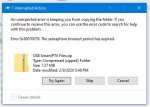
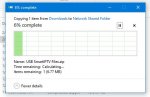
I'm struggling..I've downloaded files on usb stick for correct year and model on my samsung tv..I'm getting the files come up but nothing to start the install of the app..help!!
 
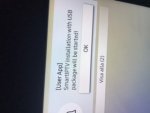
Sometimes it doesn't say it started the install. But it actually installs on the tv
Just check the tg app after you put the usb. I'm sure the app is installed there
 
Also the usb
Format it first just in case
And transfer the zipped fileans extract in the usb
If using winrar just say extract here
 
I think I did something wrong. I just downloaded the data and put it on usb. I did not opened it with zip or anything. I have a MacBook Air I did not see that option in the menu.
 
Oh I explained it in the video
You need to extract the download file to the root of the usb
WinZip or other zip program.

See if you can do that now
 
I think I did something wrong. I just downloaded the data and put it on usb. I did not opened it with zip or anything. I have a MacBook Air I did not see that option in the menu.
How did it go now. All ok?
 
Hi Husham, seems the new file doesn't work
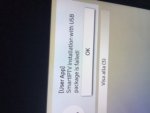
as the Tv doesn't want to do auto run and install it keep gives me message to either brows or cancel, by the way the previous version was working with me except when i want to stream movie or tv show / series
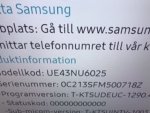
my tv is UE50RU7400UXXU
 
Hi Husham, seems the new file doesn't work
as the Tv doesn't want to do auto run and install it keep gives me message to either brows or cancel, by the way the previous version was working with me except when i want to stream movie or tv show / series
my tv is UE50RU7400UXXU
It worked for others. Maybe try to format the usb stick again
 
Last edited:
should work unless you recently updated samsung tv.
 
I have updated the Smart IPTV software for Samsung TVs,
This should now work for the new and some of the old ones that didn't work in the past
do you want to download again and tell me if this works please
 
Hi Husham.. you are a STAR. It worked like a charm. Thank you so much!

Now, I have got a different question that probably only you can answer. There is this app for Samsung TVs on Samsung STORE called Skylink LiveTV (there is one for Czech republic - "Skylink CZ", and one for Slovakia - "Skylink SK"). My TV is definitely supported, which has been confirmed by Skylink customer services, however, due to Samsung's GEO-restrictions, I can't find the app on Samsung STORE in my country. Is there any chance you can prepare a similar zip package for Skylink app (CZ and SK) like the one for Smart IPTV? Pleeeeeease. I will be thankfull for any response.
 
Back
Top