

Start Free 24h Trial →
47,000+ Live Channels • 184,500+ Movies & Series • No Credit Card
Paid Advertisement
You are using an out of date browser. It may not display this or other websites correctly.
You should upgrade or use an alternative browser.
You should upgrade or use an alternative browser.
Pds server changed As of 23/08/2026
- Thread starter husham
- Start date

Offline
Yes need new url

Offline
DoneYes need new url

Offline
New URL please
Offline
DoneNew URL please

Offline
Presumably you logged in with your credentials using xtream.I do see the new DNS when I log into PDSLive. Where do I place this updated URL within Tivimate?
Server information is contained therein.
Offline
Offline
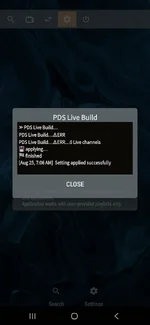
Sending you a DMIs the new server actually up and running at this point? All the previous correct sign in info shows an error updating the database with the new url.
Offline
I'm looking into this. For the time being, don't do anything. Sending you a DMHello everyone! I saw the new DNS info on my pdslive account, but I am unsure of how to add it to get it to work. I am trying to use it with Tivimate and IPTV smarters. Can someone help?
Offline

Offline
Doneneed new url Please
Offline
DoneNeed new url, please.
I have the same and tried updating, but didn't work. I'm assuming I updated in the wrong place. Will follow this thread for the solution.I'm looking into this. For the time being, don't do anything. Sending you a DM
I need the new URL. Thank You.As of 23/08/2026
The old URL has changed for PDS
Please post here if you need the need URL.
Offline
Please post here the new PDSAs of 23/08/2026
The old URL has changed for PDS
Please post here if you need the need URL.
url
i need !
Offline
Wow i sent out about 7 - 10 helpe tickets i finally got a response before my subscription expires. I paid for 6 months but the account wasn't reset so it was show for 1month onlyI need the new url as well but if has expired due to their lack of response what can I do?
Offline
DonePlease post here the new PDS
url
i need !
Offline
DoneI need the new URL. Thank You.
Offline
DoneI need the new url as well but if has expired due to their lack of response what can I do?
Offline
Did you sort this ?I have the same and tried updating, but didn't work. I'm assuming I updated in the wrong place. Will follow this thread for the solution.
Not yet. I still have service at this time using the old url, but want to update it before it goes down.Did you sort this ?
Offline
Sebt to youNot yet. I still have service at this time using the old url, but want to update it before it goes down.
Need the new URL....ThanksAs of 23/08/2026
The old URL has changed for PDS
Please post here if you need the need URL.
Offline
DoneNeed new url, please and Thanl You !!
Offline
DoneNeed the new URL....Thanks
Offline
New URL please and thank you!As of 23/08/2026
The old URL has changed for PDS
Please post here if you need the need URL.
I have the new URL xtream codes, when I enter into XCIPTV the Url http:// rxxxxfxxtxxsxx.netxxxx:xxxx the rxxx.....turn into a sentence automatically, thus will not work? It puts in a space before the f,t,and s auto complete? which is incorrect. Any suggestions Thanks in advancePresumably you logged in with your credentials using xtream.
Server information is contained therein.
additional info...Onn 4k pro is forcing auto correct with the on screen menu when using XCIPTV screen keyboard to enter the URL on screen.
I have currently no way to enter the new URL at this point in time. Help Please.
When is the current URL due to be deactivated? Has worked good for a number of years.
Last edited:
Offline
Thanks for largely obliterating that information.I have the new URL xtream codes, when I enter into XCIPTV the Url http:// rxxxxfxxtxxsxx.netxxxx:xxxx the rxxx.....turn into a sentence automatically, thus will not work? It puts in a space before the f,t,and s auto complete? which is incorrect. Any suggestions Thanks in advance
While I do not use XCIPTV, results should be the same with XTREAM codes. I had not tried the new URL, as old ones work. It was never clear to me when it would switch over. I did, however, just try it as you were having this problem, and it is not an issue in TiviMate. TBH, I cannot explain that behavior in the app. I can only say the URL is good. Do you have another Player to test on?
I just received your email, thanks. However, my response to the email was tagged on your end as Spam?
I guess I will plunk along until the current url ceases. But then what? Thanks again for the response.
UPDATE: I switched to Sparkle IPTV player and all works good. So the issue is the Auto complete of either the Onn 4k pro, or XCIPTV player. Possible fix for XCIPTV users is to use an external keyboard for inputs? Not sure.
Thanks Bob
I guess I will plunk along until the current url ceases. But then what? Thanks again for the response.
UPDATE: I switched to Sparkle IPTV player and all works good. So the issue is the Auto complete of either the Onn 4k pro, or XCIPTV player. Possible fix for XCIPTV users is to use an external keyboard for inputs? Not sure.
Thanks Bob
Last edited:
Offline
Email?I just received your email, thanks. However, my response to the email was tagged on your end as Spam?
I guess I will plunk along until the current url ceases. But then what? Thanks again for the response.
I didn't send you an email, and this is the only response I saw from you. I replied to your post here. Not email.
Offline
It's your alter egoEmail?
I didn't send you an email, and this is the only response I saw from you. I replied to your post here. Not email.
You know like flash has the reverse flash. Hehhehe
Offline
I think it ok. Since no email was sent. We are looking for the reverse @MikeVanWa that sent the email. LolSorry about my confusion on email...Anyway the fix for me was to change player as XCIPTV or Onn 4k pro auto corrects an insert spaces into the URL. I switched player to Sparkle player and it is working.
Thanks
External keyboard may work with XCIPTV but I have not tried this.
Offline
DoneI would like the new URL too please
Offline
It's your alter ego
You know like flash has the reverse flash. Hehhehe

Offline
Please send me the new url thanks
Offline
DonePlease send me the new url thanks
Offline
There is an up-and-down history with respect to support from them over a long period of time. Of late, it's been in a down period. But I gather from posts that they seem to be catching up with tickets. As far as what to do, patience seems to be the answer.I subscribed to PDSLIVE on Aug 21st, but I never received my Xtream codes or server URL. Now I see the server is changing lol Is it common for support to take this long? What do I do?
Thanks brother, I appreciate it. Do you mind providing the new server URL?There is an up-and-down history with respect to support from them over a long period of time. Of late, it's been in a down period. But I gather from posts that they seem to be catching up with tickets. As far as what to do, patience seems to be the answer.
