
Paid advertisement – not affiliated with this forum

SVENORDIUM
Unique IPTV Experience
🛡️ Anti ISP Block
🎧 Friendly Support 🔴 Live Content 🎬 VOD
⚡ Instant Activation
🤝 Reselling Available
▶️ Watch Now
Paid Advertisement – Not Mine
You are using an out of date browser. It may not display this or other websites correctly.
You should upgrade or use an alternative browser.
Problems with Samsung TV
- Thread starter Julien
- Start date

Offline
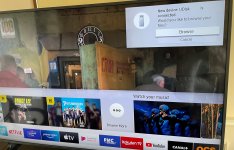
Hi there. Can you quickly share an imageHi Husham,
I tried every versions and I can never get an automatic instalation running on the TV.
I only have a message asking if I want to browse the USB key. When I try that nothing happens.
Could you help me?
The TV Model is: UE49RU8005U
Offline
This normally happens if you transferred the files wrong or extracted wrong in the root. I seen this before with users using Mac book or Apple devices. The extraction doesn't work well and you need to transfer the extracted files back to usb root again.Hi Husham,
I tried every versions and I can never get an automatic instalation running on the TV.
I only have a message asking if I want to browse the USB key. When I try that nothing happens.
Could you help me?
The TV Model is: UE49RU8005U
Sometimes using 7zip or winrar to extract the files better
Offline
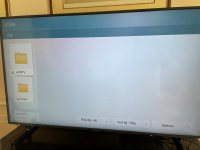
Can you take a picture of the usb rootYes sure,
Just a second.
Offline
Do you want to do a quick a
I have a feeling the extraction didn't do it correctly. Are using Mac to do it. Do you want me to login to your laptop and do it myselfI see the two folders at the root but nothing happens.
Offline
I will send you a private message nowOk yes please, we can try.
Offline
I sent you dm information. Let's chat in privateI'm using a PC